Smart Forms: reply to new leads in under a minute.
Part of the AI Front Desk. Connects your web forms to the AI so every submission gets an instant SMS or email reply - before the lead moves on to a competitor.
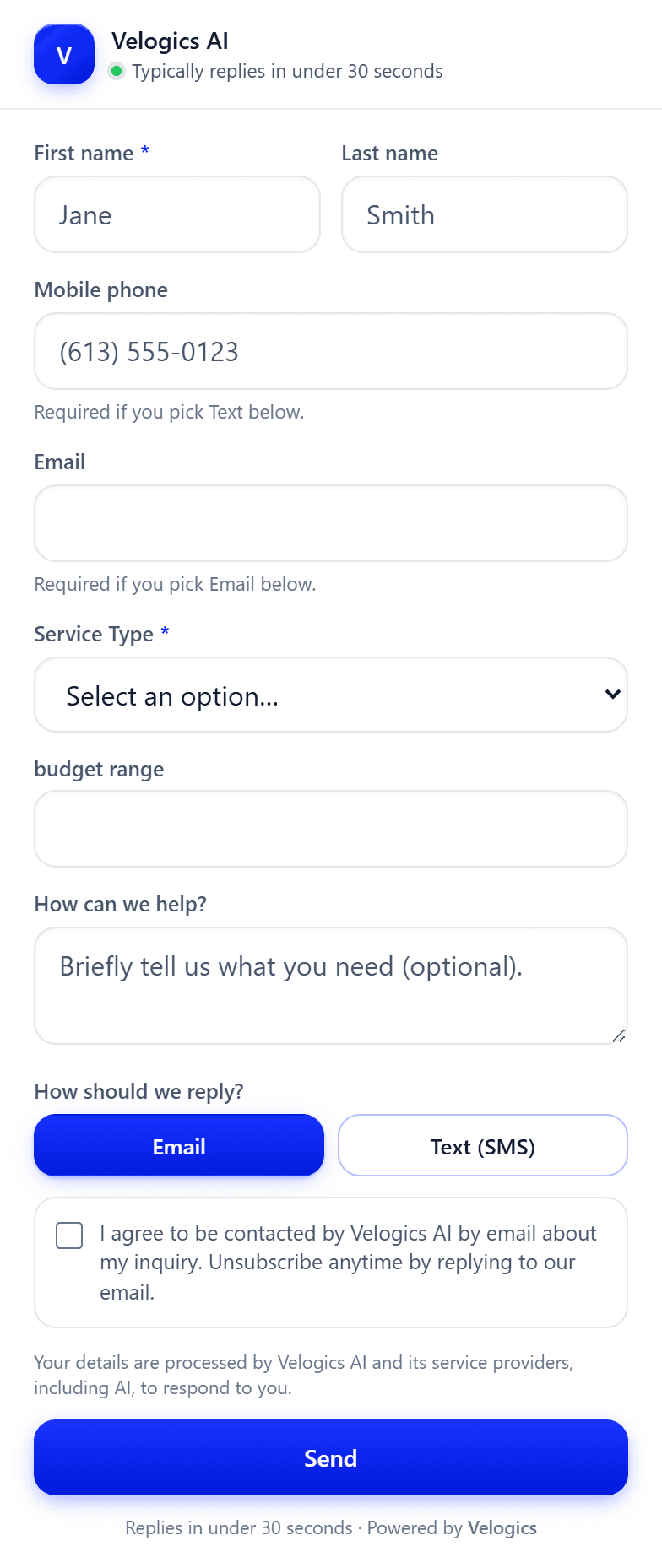
A real screenshot of the live widget - yours carries your name and colours.
What are Smart Forms?
Smart Forms connect the web forms you already have to the AI, so a submission gets a reply in seconds instead of the next working day. The moment somebody submits, a text or email goes out on whichever channel they chose, the lead is qualified with the questions that matter to you, and it all lands in Follow Up Boss tagged and ready.
There is no rebuild: it points at your existing form. It is part of the AI Front Desk, included in the $388 a month plan.
What changes when it's on.
- Form leads wait a day for a callback
- Hot intent goes cold fast
- Submissions sit unqualified in an inbox
- Every submission gets an instant reply
- You beat the slow-to-call competitor
- Leads qualified and synced automatically
What happens to a form submission.
Connects your forms
Works with the forms you already have - no rebuild required.
Instant SMS or email reply
Fires a personalized reply the moment someone submits - on the channel they picked, while their intent is hot.
Your fields, your questions
Add custom fields - service type, budget, anything - and the AI uses the answers to qualify the lead.
Syncs to your CRM
Every submission lands in your CRM, tagged and ready.
Qualifies the lead
Asks the right follow-ups so you only spend time on real opportunities.
Nothing falls through
Every form gets a response - no lead left waiting a day for a reply.
Why is replying fast the whole point of this one?
Because of what the person on the other end is doing. Somebody filling in a quote form has almost never filled in only yours. They open three or four tabs, submit the same details into each, and get on with their evening.
Whoever answers first is talking to somebody who has not yet spoken to anybody else, and whoever answers on Tuesday morning is arguing with a decision that was already made.
That is a description of behaviour, not a performance claim, and the distinction matters. You will find plenty of agencies quoting you a conversion multiple from a study of somebody else's business. We do not publish one, here or anywhere on this site, because we have not measured it on yours.
Anyone who hands you a percentage for your business without running it on your business is handing you somebody else's number.
What is worth checking is your own gap. Look at the last ten form submissions and the time you first replied to each. If nine of them got a same-hour reply, this agent is not your bottleneck and we will tell you so on the call.
What does the automated callback need before you switch it on?
An automated outbound call is regulated in Canada and the rule is specific enough to be worth reading before you enable anything. The CRTC's Unsolicited Telecommunications Rules cover automatic dialing-announcing devices, the equipment behind what most people call a robocall.
The Commission's wording is that "telemarketers may make solicitation calls using an ADAD only if the consumer has given their express consent prior to the telemarketing call," and express consent means "you must be able to show that the consumer has provided authorization to receive calls from an ADAD to a specific number."
The rules also state plainly that charities are not exempt, which gives you a sense of how few exemptions there are.
Whether a callback to somebody who has just asked you for a quote is a solicitation call is a question about your business and your form, not one a vendor should answer for you in a marketing page. We are not your lawyers.
What we do is configure the agent around the answer you get, and default to the text reply, which sits in a different place, rather than switching the callback on for you. The CRTC's own page is linked below.
What if you already reply quickly?
Then you may not need this one, and that is a real answer rather than a modest opening before the pitch.
The businesses this changes most are the ones where the person who answers enquiries is also the person doing the work. If you are on a roof, under a sink or in front of a patient between eight and five, your form leads wait until the evening no matter how organised you are. That is the gap the agent fills, and it is a gap of hours rather than minutes.
If you have an office and somebody whose job is the phone, the honest recommendation is different. Take the AI Chatbot for the visitors who never fill in a form at all, and leave the forms to your team. We would rather sell you the piece that is your actual bottleneck than the bundle that looks tidier on an invoice.
The first minute after somebody submits.
The right-hand column is the part nobody shows you. Two of these steps need something from you before they can run at all.
| When | What fires | What it needs from you |
|---|---|---|
| The moment of submit | The submission is captured and tagged. | Your existing form pointed at the AI. No rebuild. |
| Within seconds | A text reply goes to the person who submitted. | The wording you want sent, and consent handling that fits Canada's anti-spam law. |
| Optional, after that | An automated callback is placed. | Express consent under the CRTC rule below. This one is off unless you ask for it. |
| Across the exchange | Follow-up questions qualify the lead. | The questions that tell you whether a job is worth loading the van for. |
| Then | The lead syncs to Follow Up Boss, tagged. | A Follow Up Boss account. |
| Whenever you get to it | You pick up a lead that has already been answered and qualified. | Nothing. |
Set it up once. It runs itself.
Connect your form
Point your existing web form at the AI engine.
A lead submits
Someone fills out your form, any time of day.
It responds in seconds
An instant SMS or email follows up automatically.
It qualifies & syncs
The lead is qualified and pushed to your CRM.
Whose leads are waiting longest.
Lead-gen websites
Where a submitted form is the start of the sale, not the end of it.
Service businesses
Beat the competitor who takes a day to call back.
High-intent forms
Quote requests and contact forms that can't wait.
Before you automate an outbound message.
1Do I have to replace my forms?
No. Smart Forms connects to the web forms you already have, whatever they were built with, so there is no rebuild and nothing on your site has to look different. That is the whole design of it: the form stays where it is and where your visitors already expect it, and the AI attaches to what comes out the back of it.
You can also add your own fields - service type, budget, whatever qualifies a lead for you - and the AI reads the answers. If we are building your site anyway the forms are wired in during the build.
2Text or email?
Whichever the visitor picks. The form asks how they want to hear back and the AI replies on that channel within seconds - a text if they chose Text, an email if they chose Email. Each option carries its own consent line on the form, so the person has agreed to the channel before anything is sent to them.
3What if somebody replies STOP?
The messages stop. Honouring an opt-out is a legal requirement under Canada's anti-spam law rather than a courtesy feature, and the platform treats a stop reply as exactly that: the number is suppressed and later automations do not pick it back up.
This is worth asking any vendor about directly, because an opt-out that only pauses one campaign and not the next one is a common and expensive way to get this wrong.
4Does it work on a site you did not build?
The connection to the form does, yes. The commercial side is the catch: Smart Forms is bundled into the AI Front Desk, which is included in the $388 a month Hosting + SEO + AI Agents plan alongside hosting and the SEO work.
If we are not hosting the site there is no plan for it to sit inside, so it becomes a scoping conversation rather than a checkbox. Bring it up on the call and you will get a straight answer.
5Is it part of the AI Front Desk?
Yes. Smart Forms is one of the capabilities bundled into the AI Front Desk and has no separate price, which is why none appears on this page. It shares the knowledge base, the calendar connection and the Follow Up Boss connection with the chatbot and with the AI Receptionist if you add that.
A qualifying question you write once is asked the same way on a form, in a chat and on the phone.
One answer above is about Canadian anti-spam rules rather than about our product. This is the regulator's own page, read on the date shown, so you can check it rather than taking a vendor's summary of what is allowed.
- CRTC, Canada's Anti-Spam Legislation requirements
Read 2026-08-25. The regulator's own summary of CASL, including the requirement that every commercial electronic message carry a working unsubscribe mechanism and that a withdrawal of consent be honoured. Cited for the opt-out answer above. (This replaced a CRTC page on automatic dialing-announcing devices, cited 2026-08-24 for a callback feature the product does not have - see the note on the removed FAQs.)
See Smart Forms work on your business.
Get a quick demo on your own numbers - or talk to Ana right now.
Or call Ana now: +1 (613) 383-5521